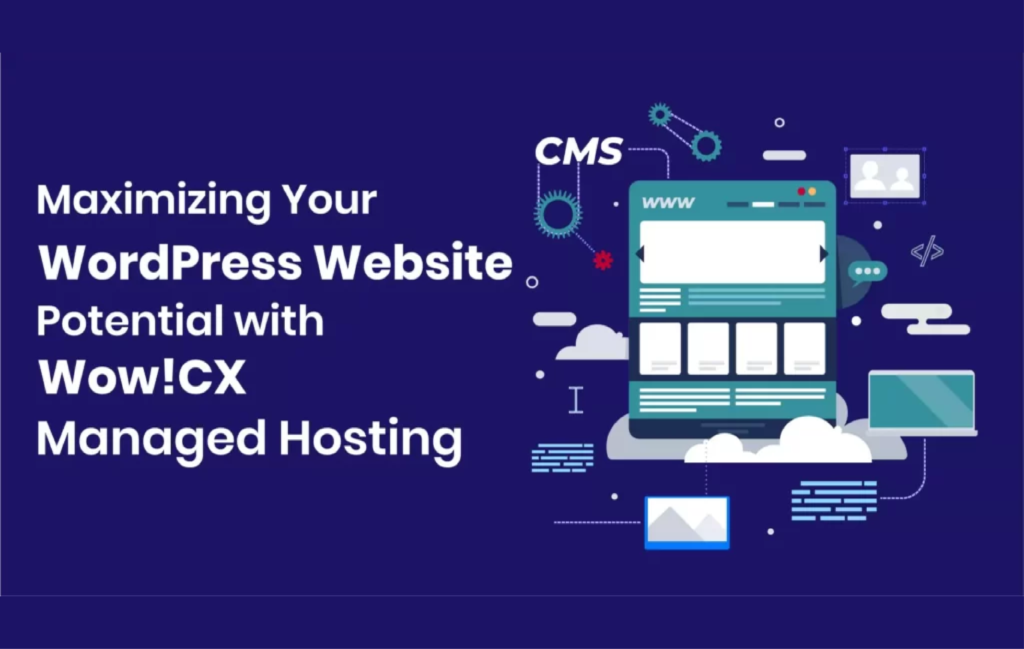
Running a WordPress website shouldn’t mean spending hours on server configuration, security updates, and performance troubleshooting. That’s where managed WordPress hosting becomes essential for website owners who want to focus on growing their business instead of managing technical infrastructure.
Managed WordPress hosting is a specialized service where your hosting provider handles the technical work of running a WordPress site, including server maintenance, security, backups, updates, and infrastructure performance optimization. Unlike traditional shared hosting where you’re responsible for every technical detail, managed hosting gives you a complete, hands-off solution optimized specifically for WordPress.
In this comprehensive guide, you’ll discover what makes managed WordPress hosting different, the key benefits it provides, and how to determine if it’s the right choice for your website.
What Is Managed WordPress Hosting
Managed WordPress hosting is a specialized hosting service designed specifically for WordPress websites that provides a hands-off experience covering updates, security, and backups on your behalf . Think of it as having a dedicated team of WordPress experts managing your website’s infrastructure while you concentrate on creating content and serving your audience.
With managed WordPress hosting, every aspect of the hosting environment is fine-tuned for WordPress performance. Every layer—from server configuration to security policies—is tuned for the CMS, creating a purpose-built environment . This specialization translates into faster load times, better security, and fewer technical headaches.
The hosting provider becomes your technical partner, monitoring your site 24/7, applying critical security patches, optimizing database performance, and ensuring your website stays online and runs smoothly. You gain access to WordPress-specific features like staging environments, automatic backups, and expert support teams who understand the platform inside and out.
Key Features of Managed WordPress Hosting
WordPress Automatic Updates
One of the most valuable features is automated update management. Your hosting provider ensures WordPress core, themes, and plugins stay current with the latest versions. This eliminates the risk of running outdated software that could expose your site to security vulnerabilities.
However, managed hosts don’t just blindly update everything. You get automatic core and plugin patching with rollbacks when something goes sideways , protecting your site from compatibility issues that could break functionality.
WordPress Automatic Backups
Your data is automatically backed up every day and stored at a location different from where your site is hosted, allowing you to restore quickly no matter what happens . These backups aren’t just insurance against disasters—they’re also essential for testing changes and recovering from mistakes.
Premium managed hosting providers offer multiple backup retention periods, one-click restoration, and the ability to create manual backups before making significant changes. Some providers even store backups across multiple geographic locations for additional redundancy.
WordPress Staging Environment
A staging environment is a complete copy of your live website where you can test changes without affecting your visitors. This feature is invaluable for website maintenance and development.
Instead of taking your website offline while making updates, you can clone your entire site to a staging area, implement design changes, test new plugins, or modify content. After thoroughly testing everything, you simply push the updated version to your live site with a single click. Your visitors never experience downtime, and you eliminate the risk of breaking your live website during updates.
WordPress Performance Optimization
Managed stacks cut load times by optimizing caching, PHP workers, databases, and CDNs specifically for WordPress. This includes server-level caching, content delivery networks (CDN), optimized PHP configurations, and database query optimization.
Many managed WordPress hosts use enterprise-grade infrastructure like Google Cloud Platform or Amazon Web Services to ensure consistently fast load times globally. Advanced caching layers reduce server load and deliver pages to visitors in milliseconds rather than seconds.
Enhanced Security Features
From server-level threat blocking to specialized security plugins, every layer of infrastructure is designed to keep WordPress sites safe . This multi-layered security approach includes:
- Web Application Firewalls (WAF) that block malicious traffic
- Malware scanning and automatic removal
- DDoS protection to prevent site overload attacks
- SSL certificates for encrypted connections
- Login attempt monitoring and brute force protection
- Regular security audits and vulnerability patching
Security isn’t just about reactive measures. Managed hosting providers proactively monitor for emerging threats and apply patches before vulnerabilities can be exploited.
Expert WordPress Support
Because support teams live and breathe WordPress, they recognize issues fast and know the fixes. When you contact support, you’re speaking with WordPress specialists who understand the platform’s nuances, not generic hosting support reading from scripts.
This expertise makes troubleshooting dramatically faster. Whether you’re dealing with a plugin conflict, performance issue, or need advice on implementing a feature, managed hosting support teams provide WordPress-specific guidance that shared hosting support simply can’t match.
Experience Premium Managed WordPress Hosting
Ready to supercharge your WordPress site with enterprise-grade performance, security, and expert support? Our managed WordPress hosting service includes automatic updates, daily backups, staging environments, and 24/7 WordPress specialist support—all optimized for maximum speed and reliability.
→ Explore Our Managed WordPress Hosting Solutions
Benefits of Managed WordPress Hosting
Superior Website Speed and Performance
Speed directly impacts user experience, search rankings, and conversion rates. Managed WordPress hosting delivers measurably faster performance through infrastructure specifically optimized for WordPress.
The combination of advanced caching, optimized server configurations, CDN integration, and PHP acceleration means your pages load in a fraction of the time compared to shared hosting. Studies show that even a one-second delay in page load time can reduce conversions by 7%, making performance optimization crucial for business success.
Time Savings and Convenience
Managing a WordPress website involves countless technical tasks: applying updates, monitoring security, optimizing performance, managing backups, and troubleshooting issues. These tasks consume valuable time that could be spent on content creation, marketing, or business development.
With managed hosting, all these technical responsibilities shift to your hosting provider. You reclaim hours every week that were previously spent on maintenance tasks. For business owners and content creators, this time savings alone often justifies the higher cost of managed hosting.
Enhanced Security and Peace of Mind
Real human experts watch over infrastructure around the clock, catching and resolving issues before they affect your site. This proactive monitoring means security threats are identified and neutralized before they can compromise your website.
Beyond monitoring, managed hosts implement multiple security layers that would be complex and time-consuming to configure yourself. The result is enterprise-level security protecting your site, your data, and your visitors.
Scalability for Growing Websites
As your website grows and traffic increases, managed WordPress hosting scales seamlessly to accommodate demand. Resources can be adjusted without migration headaches or performance degradation.
Many managed hosting providers offer automatic scaling that adjusts server resources during traffic spikes, ensuring your site remains fast and accessible even during viral moments or marketing campaigns. This flexibility protects against both slow performance and unexpected overage charges.
Better Uptime and Reliability
Most providers tested post 100% uptime for the month , reflecting the reliability of managed WordPress hosting infrastructure. Downtime directly costs revenue, damages SEO rankings, and erodes visitor trust.
Managed hosts achieve superior uptime through redundant infrastructure, automatic failover systems, and proactive monitoring. If hardware fails or issues arise, systems automatically switch to backup resources, keeping your site online while technicians resolve the underlying problem.
Boost Your WordPress Performance Today
Stop settling for slow load times and technical headaches. Our managed WordPress hosting service delivers blazing-fast performance with built-in security, automated backups, and staging environments. Get expert WordPress support whenever you need it.
→ View Our Managed Hosting Features
Managed vs Shared WordPress Hosting
Understanding the difference between managed and shared WordPress hosting helps you make an informed decision about which option fits your needs.
Shared WordPress Hosting
With shared hosting, your website shares server resources with dozens or hundreds of other websites. You’re responsible for managing WordPress updates, security configurations, backups, and performance optimization. Shared hosting offers low prices but requires technical knowledge and ongoing maintenance.
Shared hosting works for hobby blogs, personal projects, or small websites with minimal traffic where budget is the primary concern. However, performance can be unpredictable since you’re competing for resources with other sites on the same server.
Managed WordPress Hosting
Unlike regular or shared hosting where you are responsible for most technical tasks, managed hosting provides a hands-off experience that covers updates, security, and backups, removing these burdens .
When every site on a server runs WordPress, your host can focus its engineering, caching, and security around one platform instead of many, translating into tangible wins . This specialization delivers better performance, tighter security, and expert support that understands WordPress-specific challenges.
Managed hosting costs more than shared hosting but provides significantly greater value through time savings, performance improvements, enhanced security, and peace of mind. For business websites, e-commerce stores, membership sites, or any WordPress site generating revenue, managed hosting is typically the better investment.
Which Should You Choose?
Choose shared hosting if you’re running a hobby blog, have strong technical skills to handle maintenance yourself, and have minimal traffic. Choose managed WordPress hosting if you value your time, need reliable performance and security, run a business website, or lack technical expertise to manage server configurations.
The decision often comes down to whether you view hosting as an expense to minimize or an investment in your website’s success. Managed hosting shifts from the former to the latter, providing infrastructure that supports growth rather than limiting it.
Best Managed WordPress Hosting Considerations
Selecting the best managed WordPress hosting provider requires evaluating several key factors beyond just price.
Performance Metrics
Look for providers that publish transparent performance data. Time to first byte (TTFB), page load speeds, and uptime guarantees indicate how seriously a host takes performance. Independent testing and reviews provide valuable insights into real-world performance rather than marketing claims.
Support Quality and Availability
Not all support is created equal. WordPress-specific expertise matters more than 24/7 availability if the support team doesn’t understand the platform. Look for providers offering multiple support channels (chat, phone, tickets) staffed by WordPress specialists.
Pricing Transparency
Some providers advertise attractive introductory rates but charge dramatically more at renewal. Some providers charge up to 400% more at renewal, a shocking reality that can devastate your budget and business planning. Evaluate the long-term cost, not just the promotional pricing.
Features and Limitations
Compare features like backup retention periods, number of staging sites, CDN inclusion, email hosting, and bandwidth limits. Some “managed” hosting has significant restrictions on plugins, themes, or functionality that could limit your website’s capabilities.
Scalability Options
Your hosting should grow with your website. Investigate how easy it is to upgrade resources, whether automatic scaling is available, and what migration support exists if you outgrow your plan.
Compare Our Transparent Pricing Plans
No surprises, no hidden fees, no dramatic renewal increases. Our managed WordPress hosting offers straightforward pricing with all features included. Choose the plan that fits your needs today and scales with your growth tomorrow.
→ View Our Pricing Plans
Who Should Use Managed WordPress Hosting?
Business Websites and E-commerce Stores
If your website generates revenue, downtime and slow performance directly cost money. Every second of downtime costs you, and you can’t afford a security breach or a bug due to an outdated plugin . Managed hosting provides the reliability and security that business operations demand.
E-commerce sites especially benefit from the performance optimization and security features that protect customer data and ensure fast checkout experiences.
High-Traffic Websites and Blogs
Sites receiving thousands of visitors daily need infrastructure that can handle traffic spikes without slowdowns. Managed WordPress hosting provides the caching, CDN integration, and server resources necessary to serve content quickly to large audiences.
WordPress Developers and Agencies
Professionals managing multiple client websites benefit enormously from managed hosting’s staging environments, site cloning capabilities, and centralized management dashboards. The time savings multiply across every client site you manage.
Non-Technical Website Owners
If you don’t want to learn server administration, security hardening, or performance optimization, managed hosting eliminates the technical learning curve. You can focus on your expertise while professionals handle the hosting infrastructure.
Anyone Who Values Their Time
Even technically capable website owners often choose managed hosting simply because their time is better spent on their business than on server maintenance. The opportunity cost of DIY hosting management often exceeds the price difference between shared and managed hosting.
Getting Started with Managed WordPress Hosting
Assess Your Current Needs
Evaluate your current traffic levels, storage requirements, and performance. Understanding your baseline helps you select an appropriately sized plan without overpaying for unused resources.
Research Provider Options
Compare multiple managed WordPress hosting providers based on performance data, feature sets, pricing structures, and customer reviews. Don’t rely solely on marketing materials—seek independent testing and user experiences.
Plan Your Migration
Most managed hosting providers offer free migration services, but understanding the process helps ensure a smooth transition. Identify any custom configurations or specific requirements your site needs to function properly.
Consider Professional Development Support
If you need custom functionality, theme modifications, or plugin development beyond what managed hosting provides, professional WordPress development services can help you maximize your website’s potential.
Need Custom WordPress Development?
Take your WordPress site beyond standard features with our expert WordPress development services. From custom themes and plugins to complex integrations and performance optimization, our development team brings your vision to life.
→ Explore WordPress Development Services
Common Managed WordPress Hosting Questions
For business websites, high-traffic sites, or anyone who values their time, managed WordPress hosting typically provides excellent ROI through time savings, better performance, enhanced security, and reduced risk. The convenience and peace of mind alone justify the premium for most website owners.
Yes, and most managed hosting providers offer free migration services to make the transition seamless. Professional migration teams transfer your files, databases, and configurations while minimizing or eliminating downtime.
Email hosting varies by provider. Some managed WordPress hosts include email hosting, while others focus exclusively on website hosting. Verify email capabilities before selecting a provider if email hosting is important to your operations.
Managed WordPress hosting typically restricts certain plugins that pose security risks or performance issues. Most users never encounter these limitations, but if you require specific plugins, verify compatibility before committing to a provider.
Conclusion
Managed WordPress hosting transforms website management from a technical burden into a hands-off experience that lets you focus on what matters most—creating content, serving customers, and growing your business. The combination of automatic updates, daily backups, staging environments, performance optimization, and expert support provides value that extends far beyond the hosting service itself.
While managed hosting costs more than basic shared hosting, the time savings, performance improvements, security enhancements, and peace of mind typically deliver significant ROI for business websites and anyone serious about their WordPress presence.
Choosing the right managed WordPress hosting provider sets the foundation for your website’s success. Evaluate your needs, compare provider capabilities, and select a partner that supports your growth rather than limiting it.